卡图&Spine
卡图替换
一个简单的方式是直接打patch,如下。这样只能替换原版卡图。
1 | |
Spine导入
尖塔使用4.2.43版本的Spine,在这之下版本的不能直接使用。(神秘链接或网盘:https://github.com/wang606/SpineSkeletonDataConverter )
第一步,安装一个
Spine Godot Extension,建议直接下载我编译好的:https://pan.baidu.com/s/1yuxPkDpCV8EVLkDubqiirg?pwd=apar 。参考 https://zh.esotericsoftware.com/spine-godot 。把里面的文件放到你的项目根目录,然后可能需要重启一下Godot。把spine中导出的atlas,skel,png文件放入项目你自己指定的位置,能在Godot文件系统中看到就算成功。
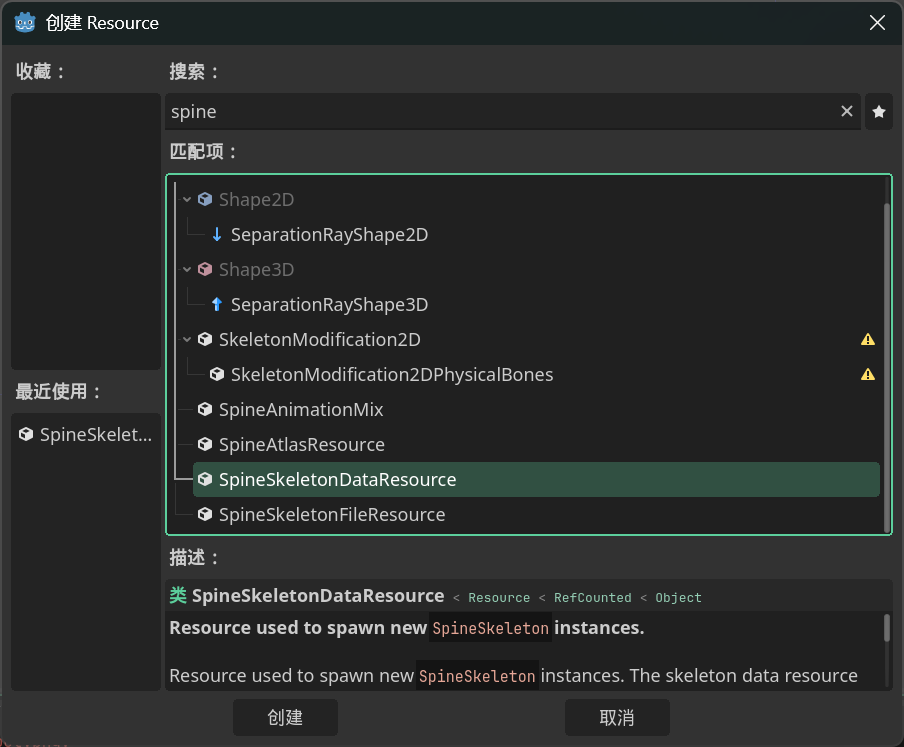
右键godot文件系统创建资源,创建一个
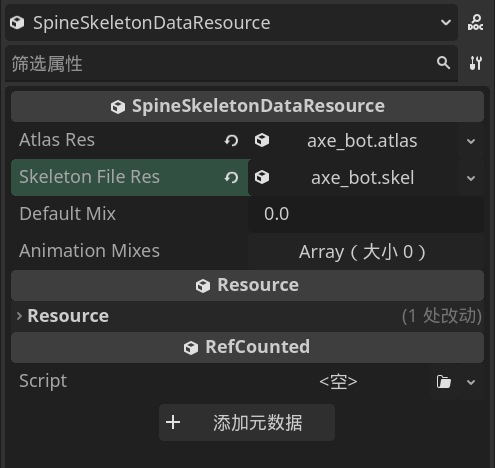
SpineSkeletonDataResource,并把Atlas Res和SkeletonFile Res分别设置为atlas和skel文件。你的战斗人物模型需要有
idle_loop(待机循环),attack(攻击动作),cast(能力卡动作),hurt(受伤),die(死亡)这些动画名。
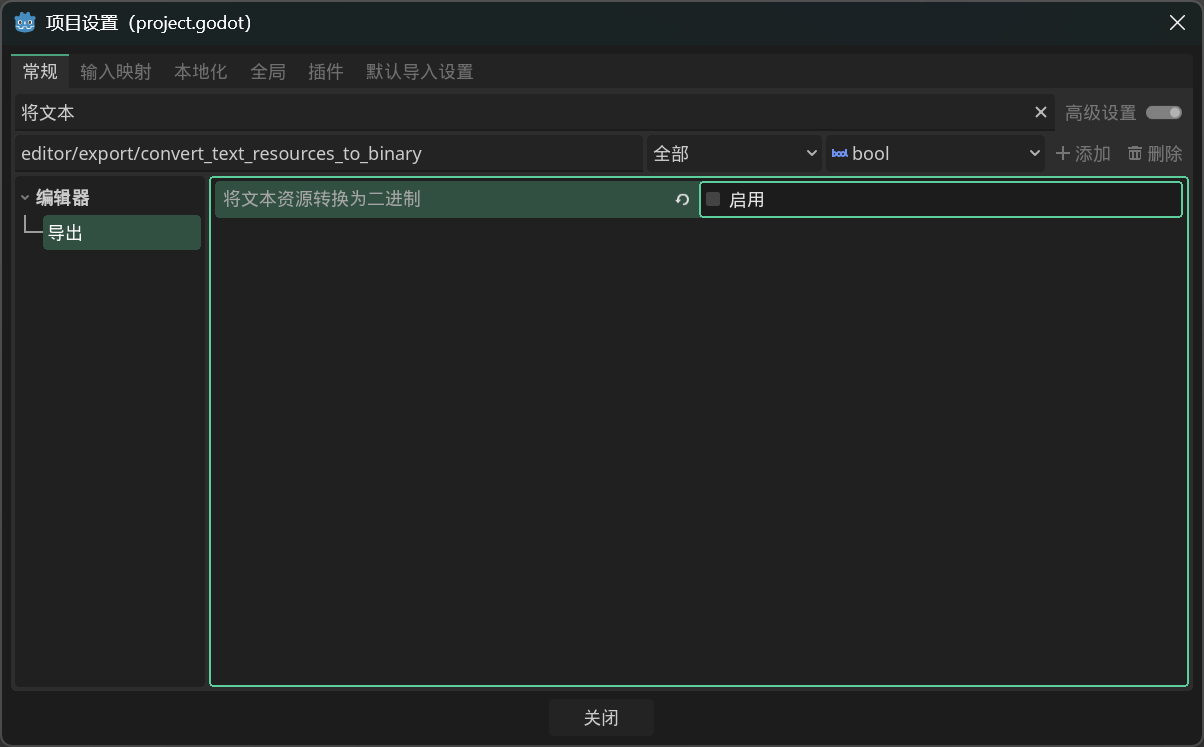
- 如果遇到问题,打开
项目→项目设置,把将文本资源转换为二进制禁用。
然后可以参考这段替换角色:(此处仅替换战斗人物且不播放初始动画,仅供参考) 以前的代码功能太少,为了不误导新人这里删了
任意模型替换思路
- 只需patch
CharacterModel.CreateVisuals返回继承NCreatureVisuals自制节点,就可以使用任意的场景替换人物。 创建一个继承参考NCreatureVisuals的类,把它挂载到你新建的Node2D场景中。添加新人物的自定义人物背景这一节。现在不需要脚本了- 该场景需要有唯一化命名(%)的
Visuals(Node2D),Bounds(Control),IntentPos(Marker2D),CenterPos(Marker2D)。 - 如果想使用3d模型,新建
subviewportcontainer→subviewport的层级结构,然后在subviewport中添加camera3d和任意3d模型,在3d视图中调整视角至2d视图正常显示。最后设置subviewport的transparent为true。